Project Overview
This project involved building a self-hosted MeshCentral remote management server and testing key remote support functions across Windows client VMs. The goal was to simulate the work of an IT Support / Helpdesk Technician by deploying, configuring, and using remote tools to securely manage devices within a LAN environment.
Environment
| Component | Technology |
|---|---|
| Hypervisor | Proxmox VE |
| MeshCentral Server | Ubuntu Server 24.04.2 LTS |
| Remote Support Tool | MeshCentral (Node.js-based) |
| Process Manager | PM2 (for background service management) |
| Client Devices | Windows 11 Pro VM (simulated employee workstation) |
| Network | Internal virtual bridge (safe local-only testing) |
Phases
Phase 1: Server Installation
- Installed Node.js v18 LTS and MeshCentral on Ubuntu Server
- Configured MeshCentral to run on default HTTPS port (443)
- Created MeshCentral admin account and secured the web portal
- Set up PM2 to run MeshCentral as a persistent background service (auto-starts on boot)
Phase 2: Agent Enrollment
- Downloaded and installed MeshCentral agent on Windows 11 Pro VM
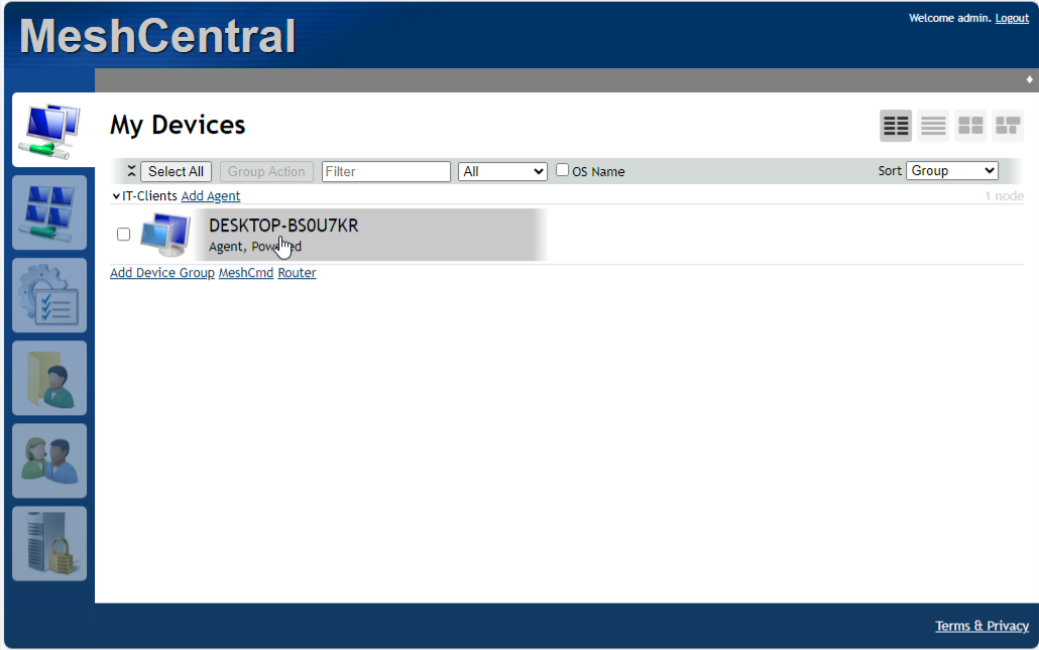
- Verified successful connection to MeshCentral dashboard
- Created a Device Group for managing enrolled clients
Phase 3: Remote Support Actions Testing
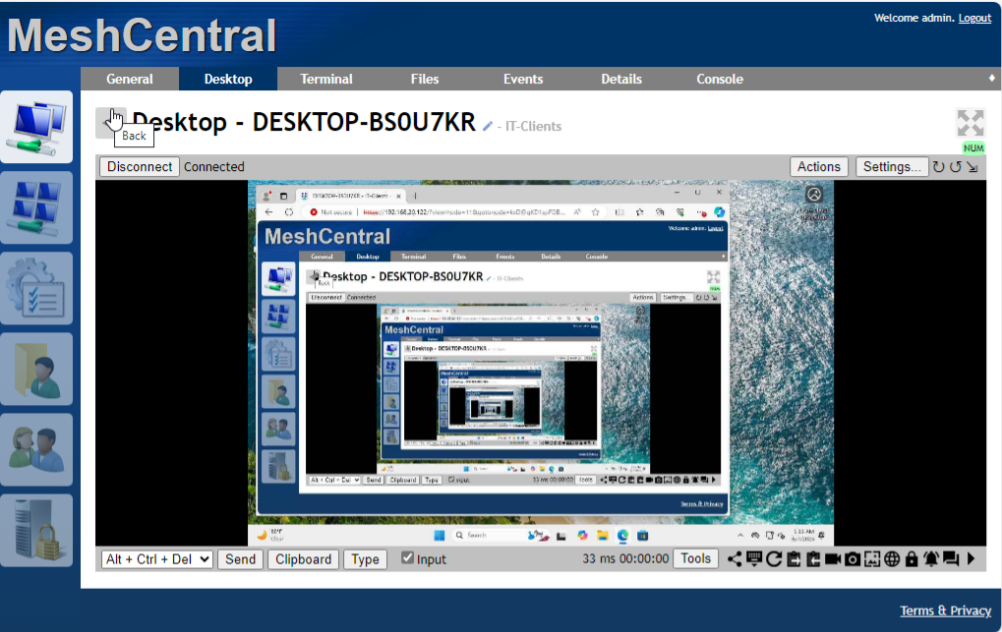
- Performed Remote Desktop session (browser-based)
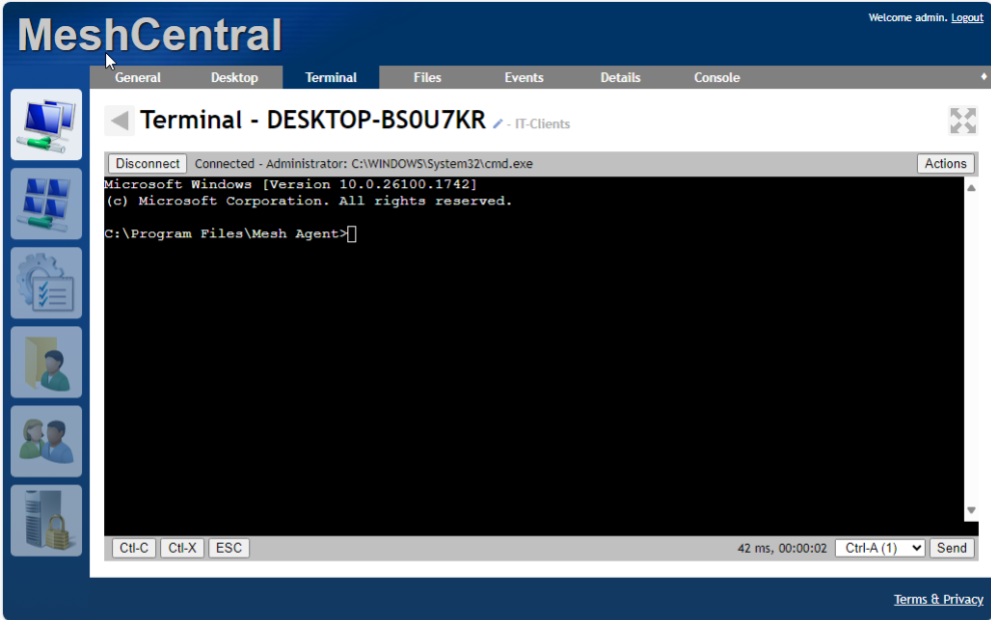
- Tested Remote Terminal access (cmd.exe on Windows client)
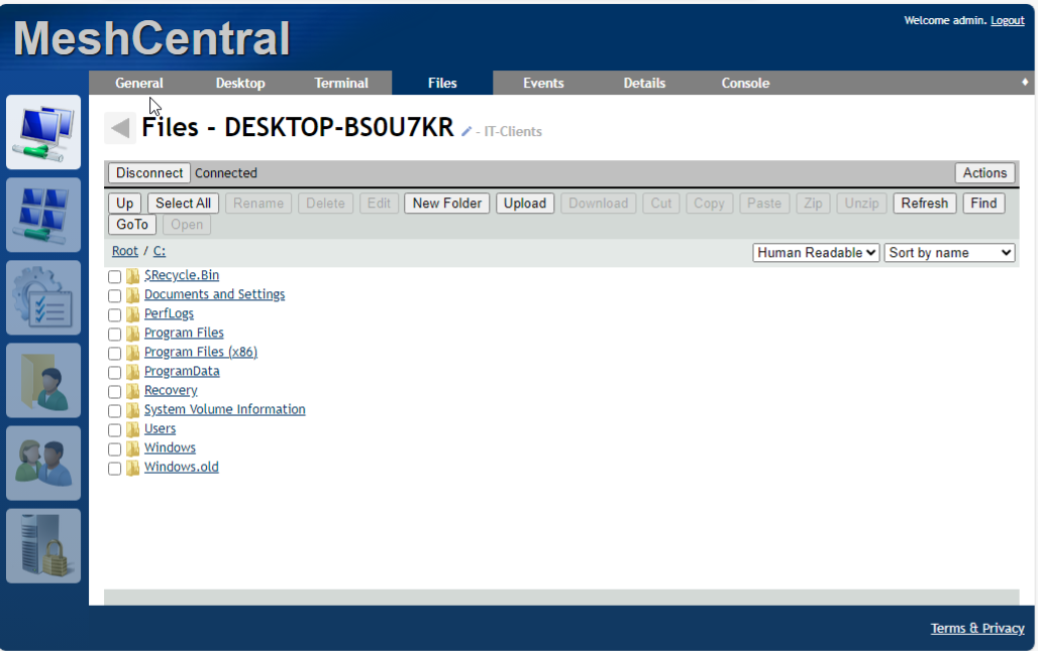
- Used File Manager to browse and transfer files from C:\ drive
- Performed Power Control actions: shutdown and reboot test
- Simulated remote troubleshooting workflow: technician interacting with Windows client as if supporting a user
Testing & Validation
- Confirmed agent remained online after reboots
- Verified remote desktop performance and responsiveness
- Validated full terminal access and command execution
- Verified file transfer functionality
- Successfully tested full Power Control workflows
Challenges & Solutions
Challenge: PM2 startup didn’t persist after server reboot
Solution: Adjusted PM2 startup command and configured a systemd override for the meshadmin account, ensuring MeshCentral starts automatically when the server boots.
Challenge: Agent didn’t appear after install
Solution: Verified server-client connectivity and rebooted the Mesh agent to force re-registration. Confirmed agent appeared in the MeshCentral dashboard after reboot.
Outcome
Successfully built and validated a fully functional, self-hosted Remote Support platform using MeshCentral.
Through this project, I gained hands-on experience with secure server deployment, background service management (PM2), remote access tools, and IT troubleshooting workflows across both Linux and Windows environments.
Simulating real-world IT Support scenarios, I demonstrated the ability to remotely manage devices, perform troubleshooting tasks, and securely assist users, which are highly valuable and transferable skill sets for Helpdesk and IT Support roles.