Project Overview
In this project, I built and configured a realistic IT help desk ticketing system using Zammad, an open-source platform, to simulate typical IT support workflows. Many IT support roles rely heavily on ticketing systems, and this project allowed me to gain hands-on experience with typical processes such as ticket creation, prioritization, internal communication, and resolution.
By building and configuring Zammad in my homelab environment, I practiced the full lifecycle of managing IT support tickets, while also showing flexibility in adapting to installation issues and learning modern deployment techniques.
Environment
| Component | Technology |
|---|---|
| Hypervisor | Proxmox VE |
| Ticketing System Server | Ubuntu Server 22.04 LTS (Docker-based) |
| Ticketing Software | Zammad (open-source web-based platform) |
| Deployment Method | Docker Compose |
| Clients | Web-based technician and user access |
Phases
Phase 1: Server & Application Deployment
- Deployed Ubuntu 22.04 LTS VM on Proxmox
- Installed Docker and Docker Compose
- Adapted installation process after encountering upstream APT repo issues
- Successfully deployed Zammad using the official Docker Compose configuration
- Configured Zammad to run as a persistent background service
Phase 2: Ticketing System Configuration
- Created Zammad admin account
- Created test customer user account (“Sarah Brown”)
- Verified login access for both user and admin
Phase 3: Simulated Ticket Workflow
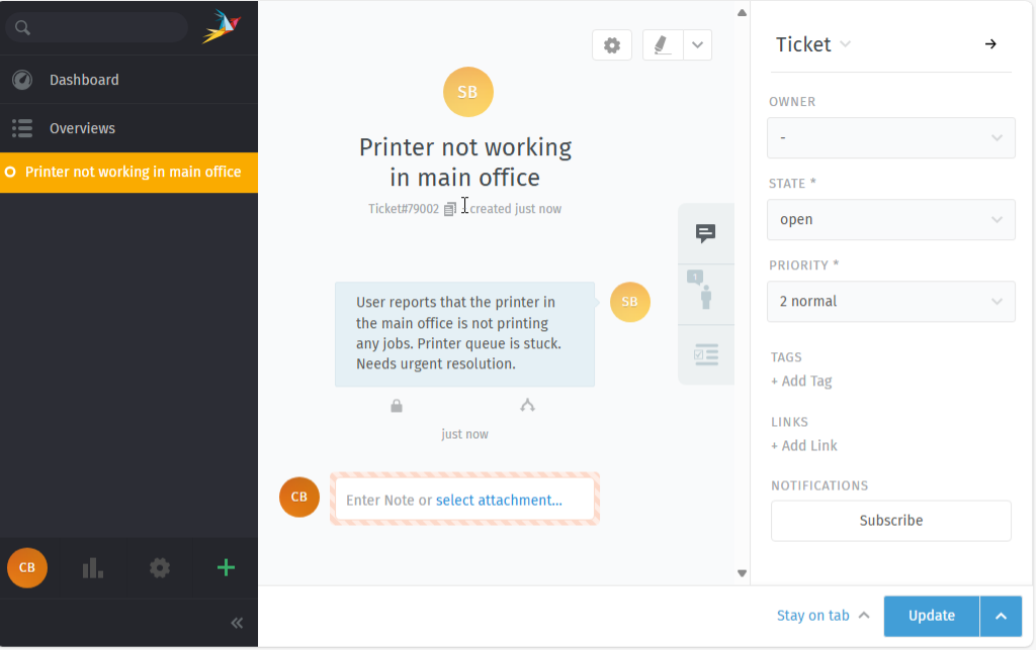
Scenario: User reports the printer in the main office is not working and the print queue is stuck.
Ticket Created:
- User “Sarah Brown” submits ticket titled “Printer not working in main office”
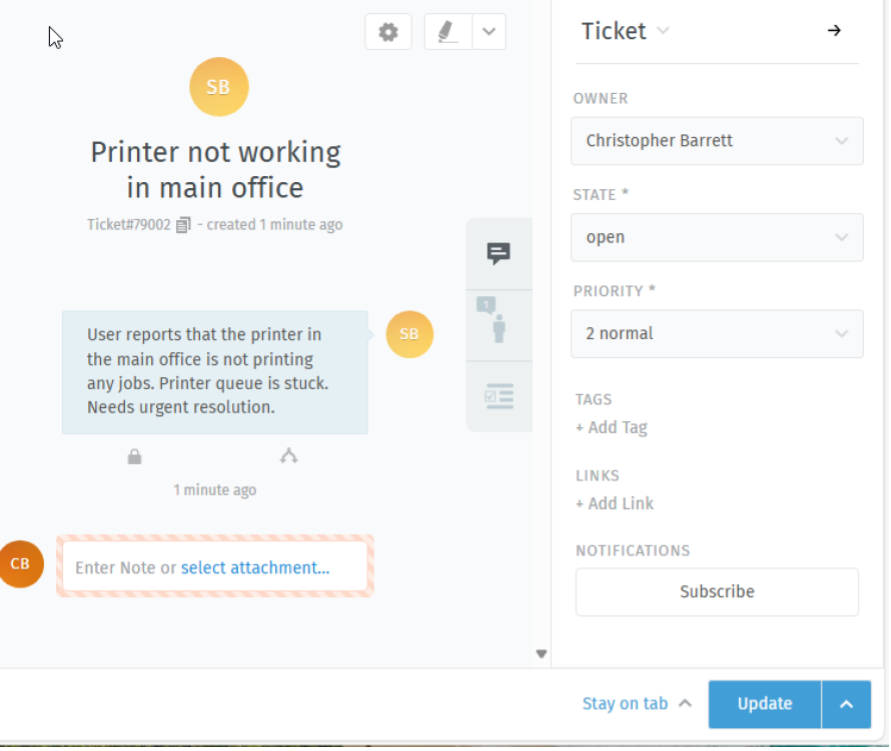
Ticket Assigned:
- Ticket is assigned to me (acting as IT Support Technician)
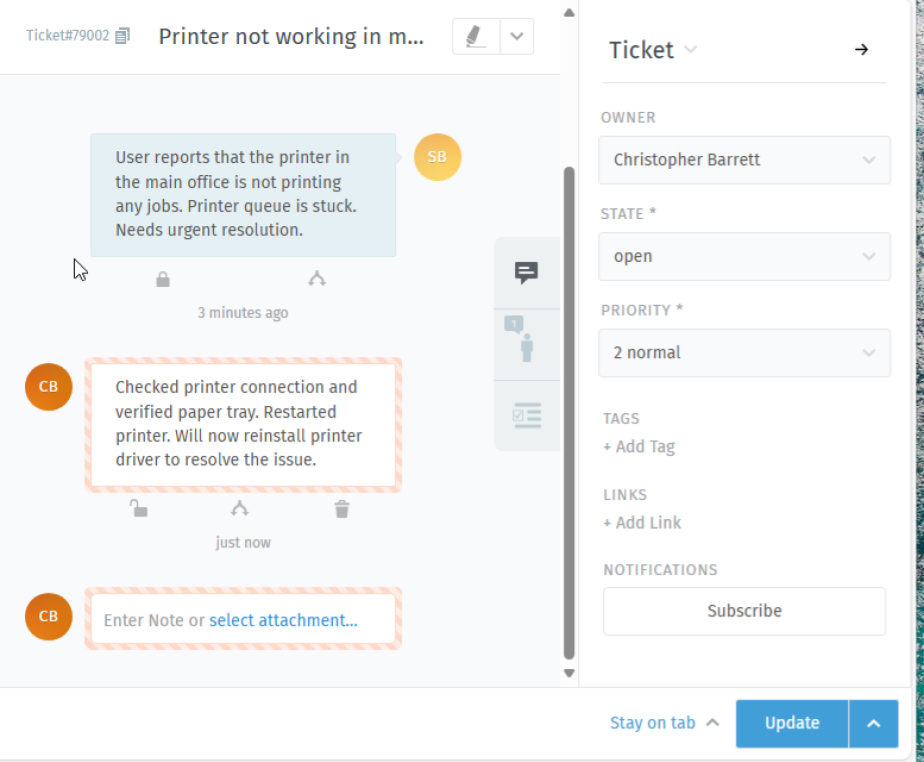
Ticket Worked:
- Internal troubleshooting notes added: checked printer hardware, cleared print queue, reinstalled printer driver
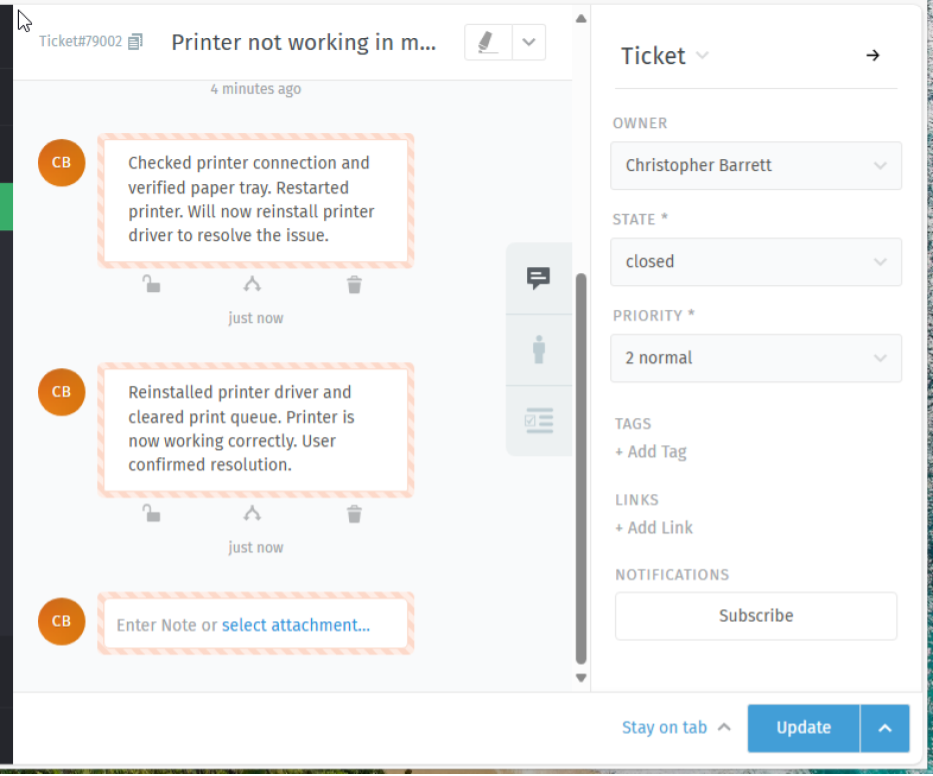
Ticket Closed:
- Final note added confirming issue resolved and verified by user
- Ticket marked as closed
Ticket Lifecycle Screenshots
Testing & Validation
- Verified full ticket lifecycle from both user and technician perspectives
- Confirmed system handled ticket assignment, internal notes, and closure properly
- Tested ticket visibility and status updates across both user and admin accounts
Challenges & Solutions
Challenge: Official Zammad APT repository did not support latest Ubuntu versions and was temporarily broken
Solution: Adapted by deploying Zammad via its official Docker Compose configuration, ensuring compatibility and a modern, maintainable setup
Outcome
This project provided valuable hands-on experience with IT support workflows and ticketing system management.
Through building, configuring, and using Zammad, I strengthened my ability to document and resolve user-reported issues, simulate real-world help desk operations, and adapt to unexpected technical challenges during system deployment.
Additionally, this project reinforced my experience with container-based deployment methods (Docker), further strengthening my ability to deploy and manage modern IT services.